Introduction
Keeping track of your daily spending is one of the smartest financial habits you can develop. Whether you’re trying to save more, reduce debt, or build wealth, understanding where your money goes is the first step to financial control.
In today’s digital world, expense tracking has become easier than ever thanks to a wide range of apps that automatically record, categorize, and analyze your spending. These tools can help you stay accountable, set goals, and make smarter financial decisions — all from your smartphone.
In this article, we’ll explore the best apps to track your daily expenses in 2025, their key features, pros and cons, and how to choose the right one for your lifestyle.
Why You Need an Expense Tracker
Before we look at the apps, let’s talk about why expense tracking matters so much.
- Creates Awareness: You’ll immediately see how small purchases add up over time.
- Encourages Better Habits: Tracking your spending helps you spot and cut unnecessary expenses.
- Helps You Stick to a Budget: Knowing your limits helps prevent overspending.
- Prepares You for Savings and Investments: Once you manage your cash flow, investing becomes easier.
- Supports Debt Reduction: By identifying wasteful habits, you can redirect money toward paying off loans.
With so many benefits, using an app instead of paper or spreadsheets is a practical and time-saving upgrade.
Top Expense Tracking Apps in 2025
1. Mint
Overview:
Mint, developed by Intuit, remains one of the most popular free budgeting apps worldwide. It connects to your bank accounts, credit cards, and even investment portfolios to automatically categorize and track every transaction.
Key Features:
- Automatic expense tracking and categorization
- Monthly and yearly budget goals
- Credit score monitoring
- Alerts for unusual spending or upcoming bills
Pros:
- 100% free and beginner-friendly
- Syncs with most banks and cards
- Easy-to-read graphs and spending insights
Cons:
- Some ads and partner promotions
- Data-sharing required with linked accounts
Best for: Users who want a “set-it-and-forget-it” tracker that handles most of the work automatically.
2. Wallet by BudgetBakers
Overview:
Wallet is a feature-rich expense tracker that blends automation with flexibility. It can connect to your bank accounts (where available) or allow manual entry for full control.
Key Features:
- Real-time bank syncing
- Shared accounts for families or partners
- Detailed financial reports and expense charts
- Goal-setting tools for savings and debt payoff
Pros:
- Clean and customizable dashboard
- Multi-currency support (great for travelers)
- Cloud backup for data security
Cons:
- Bank syncing may require premium plan
- Some advanced analytics behind a paywall
Best for: Users who manage multiple accounts and want visual insights into spending and saving patterns.
3. Goodbudget
Overview:
Goodbudget uses the traditional “envelope method” — where you divide your income into spending categories (envelopes) like rent, groceries, and entertainment.
Key Features:
- Envelope budgeting system
- Manual expense entry
- Cloud sync for sharing budgets with family
- Debt tracking and goal management
Pros:
- Encourages mindful spending
- Perfect for couples or families managing joint budgets
- Simple interface with powerful planning tools
Cons:
- No automatic bank syncing (manual entry required)
- Free version limits envelopes and accounts
Best for: People who prefer manual control and want to build discipline with the classic envelope system.
4. Spending Tracker
Overview:
Spending Tracker is one of the simplest and most intuitive budgeting apps. It’s perfect for users who don’t need advanced features or bank integrations.
Key Features:
- Manual expense input
- Custom categories
- Charts and reports to visualize spending trends
- Works offline without internet connection
Pros:
- Lightweight and fast
- No data sharing or bank linking
- Suitable for personal and small-business budgets
Cons:
- No automatic tracking
- Limited customization in the free version
Best for: People who prefer simplicity and privacy without linking financial accounts.
5. YNAB (You Need a Budget)
Overview:
YNAB is more than an expense tracker — it’s a complete budgeting philosophy. Based on the “zero-based budgeting” method, it ensures every dollar has a specific purpose.
Key Features:
- Real-time syncing across devices
- Bank integration and automatic categorization
- Detailed financial reports and insights
- Educational resources for better money habits
Pros:
- Encourages proactive money management
- Excellent customer support
- Secure and privacy-focused
Cons:
- Subscription-based (monthly or annual fee)
- Takes time to learn the system
Best for: Dedicated users who want to take full control of their money and stick to a long-term budget strategy.
6. PocketGuard
Overview:
PocketGuard simplifies budgeting by showing exactly how much money you can safely spend without affecting your bills or savings goals.
Key Features:
- “In My Pocket” balance display
- Bill tracking and subscription monitoring
- Automated savings recommendations
- Data encryption and privacy tools
Pros:
- Easy to understand for beginners
- Connects with most banks
- Focused on reducing overspending
Cons:
- Limited customization
- Premium features require subscription
Best for: Anyone who wants a quick, visual overview of how much they can safely spend each day.
7. Money Manager Expense & Budget
Overview:
Popular across Asia, this app offers a balance between automation and manual control. It features a clean interface and detailed financial analytics.
Key Features:
- Account and card management
- Budget planning and statistics
- Calendar view for tracking expenses by day
- Password protection and cloud backup
Pros:
- User-friendly for all ages
- Offline access supported
- Supports multiple currencies
Cons:
- Manual entry for most users
- Some design features feel dated
Best for: Users in regions where other apps don’t support local banks or currencies (including Pakistan).
8. Wally
Overview:
Wally focuses on simplicity and privacy, making it a favorite for users who don’t want to share banking details.
Key Features:
- Multi-currency support
- Smart receipt scanning
- Manual entry or optional syncing
- Real-time spending insights
Pros:
- No ads and strong data protection
- Ideal for international users
- Great visual analytics
Cons:
- Some features limited in the free plan
- Fewer automation tools
Best for: Privacy-conscious users who want a simple yet powerful expense tracker.
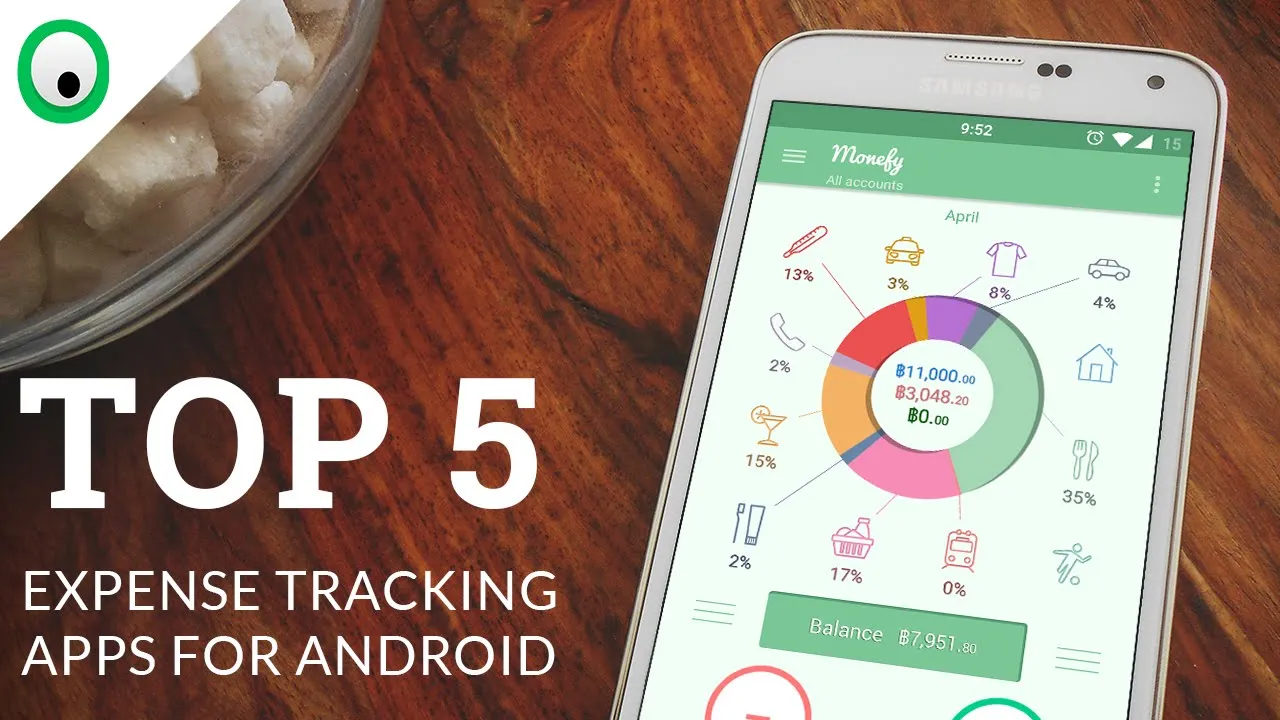
9. Monefy
Overview:
Monefy is visually appealing and fast. It’s ideal for people who want to record transactions on the go with minimal effort.
Key Features:
- One-tap expense entry
- Category customization
- Cloud sync with Google Drive or Dropbox
- Expense summaries in charts
Pros:
- Lightweight and fast
- Highly visual interface
- Offline-friendly
Cons:
- Limited detailed analytics
- No bank linking features
Best for: Users who want a colorful, visual experience for quick tracking.
10. Simplifi by Quicken
Overview:
Simplifi is a modern budgeting app by Quicken that helps you manage your finances automatically across all devices.
Key Features:
- Automatic expense tracking
- Goal-based saving and planning
- Subscription management
- Custom spending plans
Pros:
- Professional-grade features
- Real-time updates and smart insights
- Excellent for long-term users
Cons:
- Paid subscription after free trial
- May be complex for casual users
Best for: Serious planners and professionals who want total financial visibility.
How to Choose the Right Expense Tracker
Here’s how to find the best app for your needs:
| Need | Recommended App |
|---|---|
| Simple daily tracking | Spending Tracker or Monefy |
| Automatic bank syncing | Mint or Wallet |
| Joint family budgeting | Goodbudget or Wallet |
| Privacy and manual control | Wally or Spending Tracker |
| Serious long-term planning | YNAB or Simplifi |
Pro Tip: Don’t overthink it — the best app is the one you’ll actually use every day.
Tips to Make the Most of Your Expense Tracker
- Log daily: Set a reminder to enter or review transactions daily.
- Review weekly: Check reports every Sunday to adjust your budget.
- Categorize carefully: Group similar expenses (food, bills, travel) for accurate insights.
- Set savings goals: Most apps allow saving milestones — use them.
- Stay consistent: Even small daily tracking makes a big impact over time.
With just 10 minutes a day, you can transform your financial awareness and stay ahead of your money.
Final Thoughts
Expense tracking is not just about numbers — it’s about freedom. Knowing exactly how you spend your money gives you the power to control your financial future.
Whether you prefer a simple app like Spending Tracker or a smart, automated one like Mint or YNAB, the goal remains the same: to understand your money, manage it wisely, and build long-term stability.
Start tracking today, and watch how your small changes add up to major results.